How to enable USB on Virtual Box
Written by Kutch Villasor   
Friday, 20 June 2008

When you get this error from your Virtual Box;

Could not load the Host USB Proxy Service (VERR_FILE_NOT_FOUND). The service might be not installed on the host computer.


No worries, here some more summarized on how to enable USB to your Virual Box

I use Ubuntu (Gutsy Gibbon), with running xVM VirtualBox Ver 1.6.2 if you don't have this just click here to download

Now you have a running Virtual Box, I installed Windows XP Pro, and here are the instructions to enable USB;

1. Create a group named 'vboxusers'

System -> Administration -> Users and Groups then click on Manage Groups then click Add Group

I just add two users root and me my self

2. Modify the usbfs by uncomment the lines

kutch@dorkbox:~$ sudo vi /etc/init.d/mountdevsubfs.sh

then uncomment this line, it should look like this;

# Magic to make /proc/bus/usb work
#
mkdir -p /dev/bus/usb/.usbfs
domount usbfs "" /dev/bus/usb/.usbfs -obusmode=0700,devmode=0600,listmode=0644
ln -s .usbfs/devices /dev/bus/usb/devices
mount --rbind /dev/bus/usb /proc/bus/usb

Original line:

# Magic to make /proc/bus/usb work
#
#mkdir -p /dev/bus/usb/.usbfs
#domount usbfs "" /dev/bus/usb/.usbfs -obusmode=0700,devmode=0600,listmode=0644
#ln -s .usbfs/devices /dev/bus/usb/devices
#mount --rbind /dev/bus/usb /proc/bus/us


3. Add the group vboxuser to access the permission rules of device

kutch@dorkbox:~$ sudo vi /etc/udev/rules.d/40-permissions.rules

# USB devices (usbfs replacement)
SUBSYSTEM==”usb_device”, GROUP=”vboxusers”, MODE=”0664″

Original line:

# USB devices (usbfs replacement)
SUBSYSTEM=="usb_device", MODE="0664"


4. On your installed OS in Virtualbox Click on settings then go to USB then click on Add Filter you will see the connected USB Device you want to add

Last Updated ( Friday, 20 June 2008 )
 
Mamat Dance
Written by Kutch Villasor   
Friday, 20 June 2008

I love the way my son dance... 

You need to a flashplayer enabled browser to view this YouTube video

 
At last I graduated Open Water Course of PADI
Written by Kutch Villasor   
Monday, 09 June 2008

Here is my certificate, ID will be release after few months

 Me and my PADI Instructor Jonathan

Here are some Photo's with the Pinoy Divers

 
Dive at Qatar with my Family
Written by Kutch Villasor   
Monday, 26 May 2008

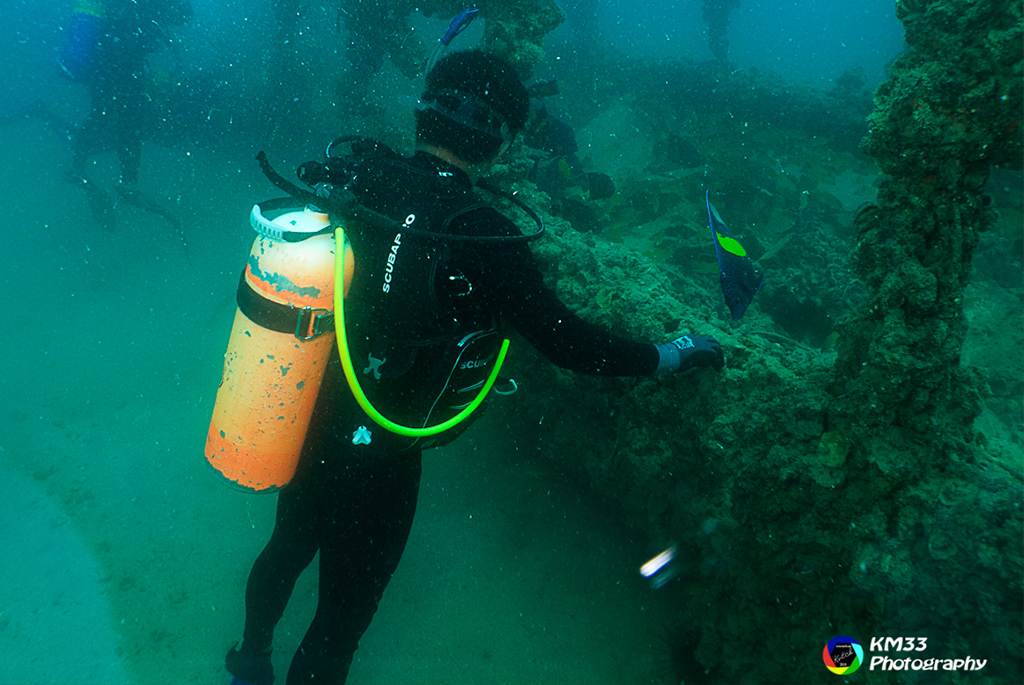
Last May 23, 2008 Friday I went for a Diving in Old Reef Umm Said, Qatar with my wife and kids. Here is our photos.


Matt tasted the air from my tank and he likes it. He said one more dad :D


Thea enjoyed playing with her toys


Matt is looking for a Jelly Fish


While I'm diving, Thea found a boyfriend his name is AA son of my Brother in APO (Bro Ariel)

It seems they like each other wahaaaaaaaaaaaaa (Is it their first kiss????) I'm going to be grand dad now ekkkk...

Last Updated ( Monday, 26 May 2008 )
 
Anti Virus on Linux Box
Written by Kutch Villasor   
Tuesday, 06 May 2008

Everyone will say why you need Anti Virus on your Linux box? Well in this case the Linux box I installed is for File Server and mainly computers connected on it are Microsoft based and I don't want to format every time their Microsoft PC's. Here's what I did

I did fresh install Debian with Samba for file server and loaded approximately 200 GB of data files that contains Picture, Video, Documents and whole lot more from Microsoft box.

After the installation and file transfer I decided to install Anti-Virus and I decided to put ClamAV and just follow their instruction click here but I will simplify here;

you must be root

kutch@dorkbox:~$ su -
Password: ******

1. edit your source list
kutch@dorkbox:~$ vi /etc/apt/sources.list

2. Just append this line
deb http://volatile.debian.org/debian-volatile etch/volatile main contrib non-free

3. Update your Application Source
kutch@dorkbox:~$ apt-get update

4. Install the new ClamAV
kutch@dorkbox:~$ apt-get install clamav

Now you are done all you have to do is Scan your transfered files before that check if you are up-to-date
kutch@dorkbox:~$ freshclam

freshclam is use to update your anti-virus, you should see output something like this

Reading CVD header (main.cvd): OK
main.inc is up to date (version: 46, sigs: 231834, f-level: 26, builder: sven)

Once you are up to date then you are ready to scan your files
kutch@dorkbox:~$ clamscan -v -r -i /folde_you_want_to_scan


After the scanning you will see result something like this

----------- SCAN SUMMARY -----------
Known viruses: 279987
Engine version: 0.92.1
Scanned directories: 1925
Scanned files: 10041925
Infected files: 0
Data scanned: 965.00 MB
Time: 50.829 sec


Last Updated ( Wednesday, 07 May 2008 )
 
Dive at Qatar
Written by Kutch Villasor   
Friday, 02 May 2008

It's a dusty day in Doha since 3 days, but our weekend dive cannot be stoped by sand storm and here are some photo.


Open Sea Divers in Qatar with master diver and dive instructor


Me and Dive Instructor


With Brothers in Alpha Phi Omega divers


Preparation before I dive, Bro Gerard is fixing my Air and checking the BCD


After the dive, it is very nice under and I feel relax. Damn I have no underwater camera, hope to get one someday


I feel great! What a sports!

Last Updated ( Friday, 02 May 2008 )
 
Sensitive Sensor
Written by Kutch Villasor   
Thursday, 24 April 2008

I just love this! How about passing a sensetive metal detector

Last Updated ( Thursday, 24 April 2008 )
 
Kutch house in Doha
Written by Kutch Villasor   
Tuesday, 22 April 2008

Everyone is always asking where is my house. I would say I'm bit far from the City approximately 50 km and you can find me in the middle of desert. Here is the map;


View Larger Map

Last Updated ( Tuesday, 22 April 2008 )
 
How to format new hard drive in Linux
Written by Kutch Villasor   
Thursday, 17 April 2008

There are many manuals or how-to everywhere in website, but in this case I will make it very KISS (Keep It Simple Stupid!)

ISSUE: I want to format a newly purchase hard drive to be a Linux ready file system (it can be IDE, SATA, SCSI) but in this case I use SATA 750 GB

SOLUTION:

1. First I plug SATA Hard Drive to it's proper SATA slots, in my case I plug to SATA3 coz SATA0,1,2 are occupied already. Remember when you plug your SATA you have to put power supply as well, there are two types of power supply now a days the white one a typical for IDE and the latest one is the black with many pins. Note: if you purchase SATA that has two power supply just plug only one.

Last Updated ( Saturday, 26 April 2008 )
Read more...
 
MSSQL 2000, Transaction Log growth
Written by Kutch Villasor   
Thursday, 17 April 2008

I just came to office last Tuesday morning I got 3 phone calls that their data cannot be save to database and it is very slow. At first I was thinking it is another Microsoft issue again so I restarted the server and they can work again, but later (few hours passed by) same problem. So I decided to view the limited log files of Microsoft and just found out these;

Last Updated ( Saturday, 26 April 2008 )
Read more...
 
DD "Data Definition"
Written by Kutch Villasor   
Tuesday, 08 April 2008

DD is not destroy disk it was used by some people as jargons, DD means Data Definition it is good for doing a image of your hard drive. Some people ask what the heck is 'image your hard drive' you mean get a digital camera and take a snapshot? duh! it's not! image means you will have one-to-one copy of your hard drive to another hard drive or even in a single file.

Here some examples.

Scenario: I want to backup all my hard drive in my laptop to external USB hard drive as well I want to store in one single file

1. Get ready your external hard drive. [read more about getting ready your external USB hard drive]

2. Mount your hard drive

3. Go to the folder where you want to store the single image.
kutch@dorkbox:~$ cd /media/KM33.P.250G

4. Run the DD command
kutch@dorkbox:/media/KM33.P.250G$ sudo dd if=/dev/sdb1 of=kutch_laptop_DD.image

Last Updated ( Tuesday, 08 April 2008 )